How to loop the hard part of a song on iPhone
Nobody needs the whole song forty times. You need bars 17 to 20 forty times. The Music app can't do that, and dragging the scrubber back by hand gets old after the third try. Here is how I loop one section in Practice Player.
Mark where the section starts and ends
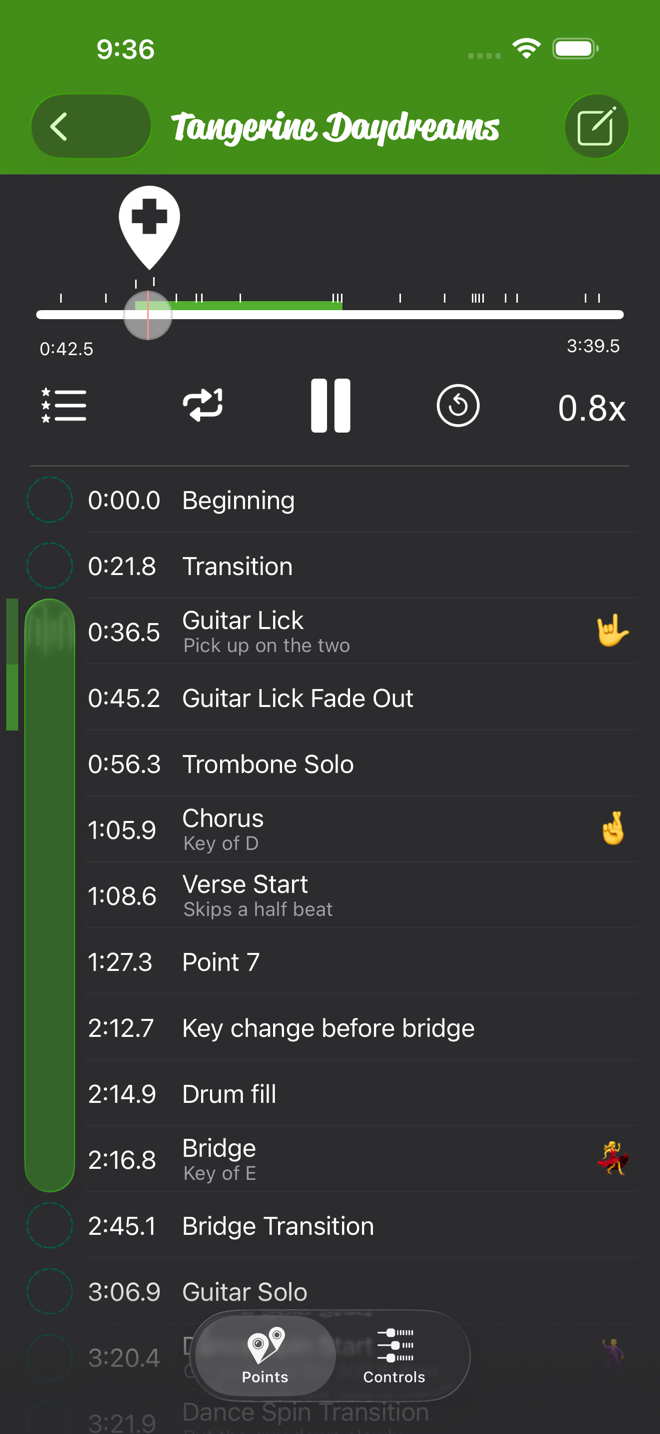
Every song in Practice Player has a list of points, and a point is just a timestamp with a name. Two of them can be the start and end of a loop.
- Open the song and tap Points at the bottom of the player.
- Play or scrub to where the hard part starts, then tap the + riding above the playhead. A new point lands there. Do the same at the end of the section.
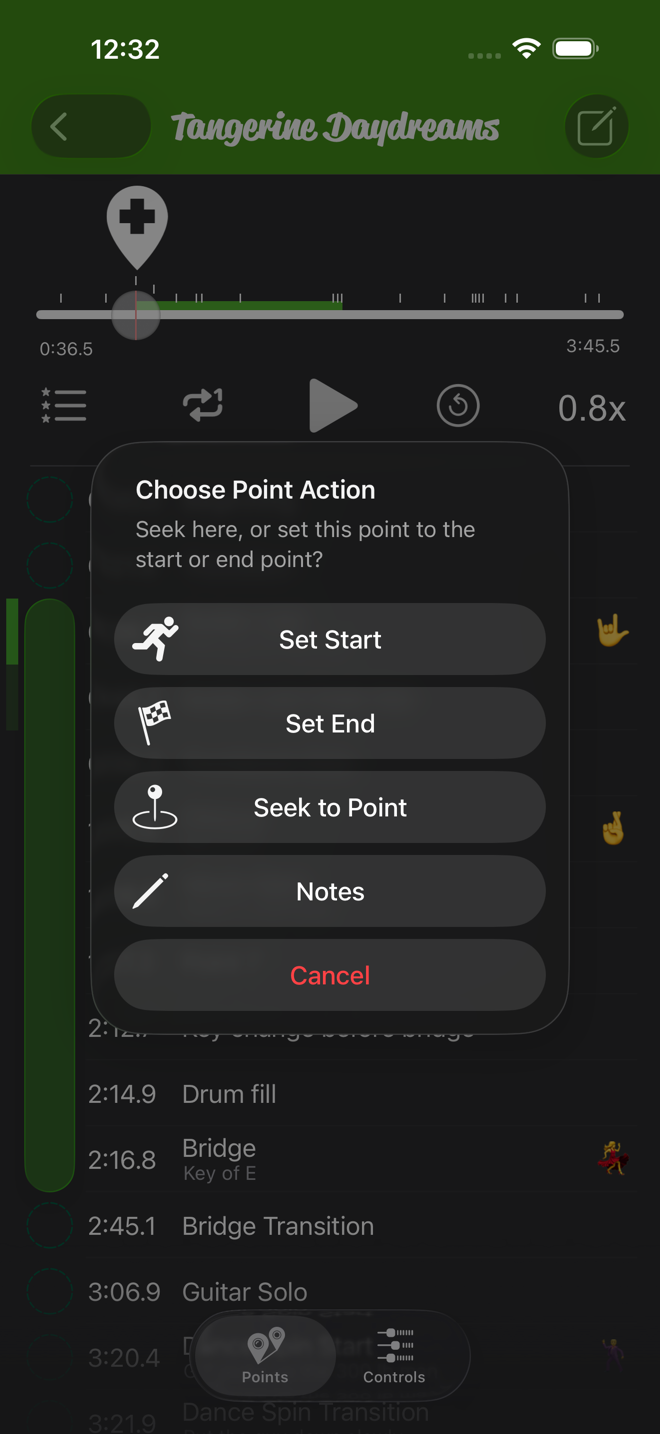
- Tap the first point and pick Set Start. Tap the second and pick Set End.
Close is fine. You can add a tighter point later.
Check Loop is on, then slow it down
Looping is on by default. The loop icon next to play toggles it, and the screen flashes "Loop On" or "Loop Off" so you know which. With it on, the song plays your start point to your end point, jumps back, and keeps going. With it off, it stops at the end point.
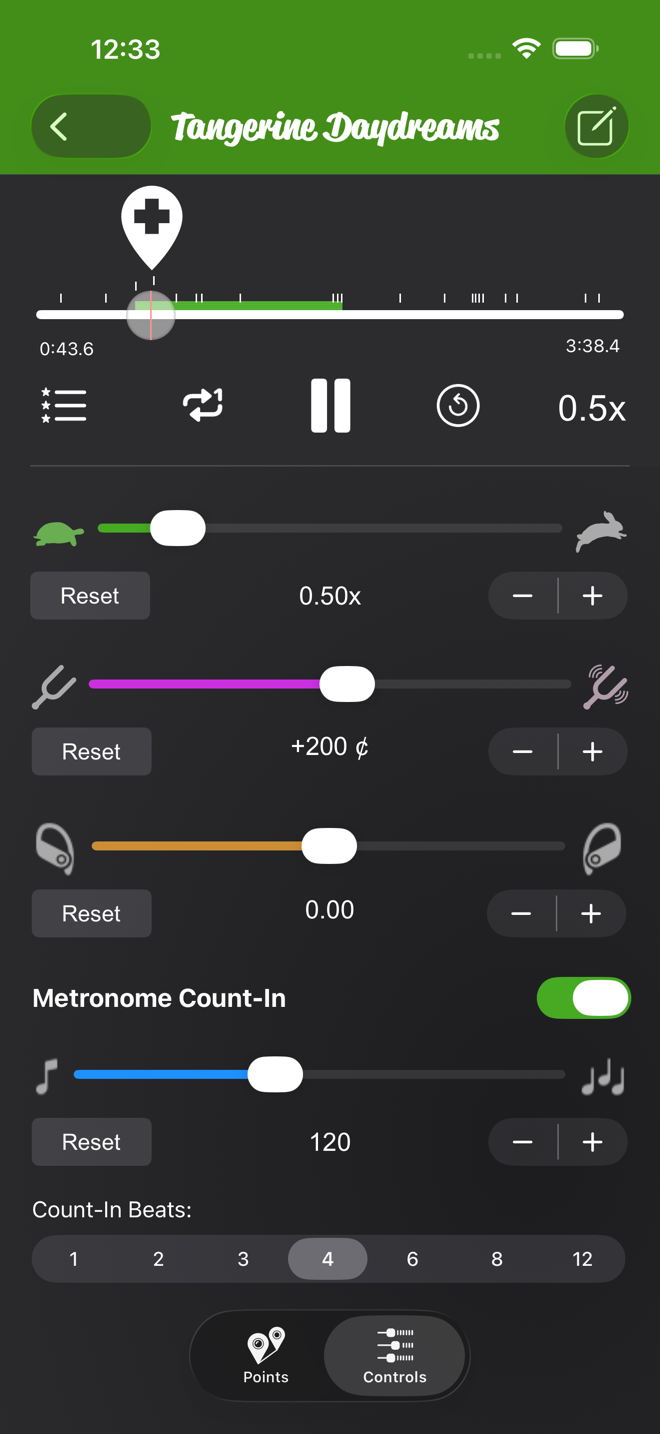
Then tap Controls and drag the speed slider left until you can play the section clean. For me that is usually 0.75x on the first day. The loop and the speed stay with the song.
If the section starts on an upbeat, turn on Metronome Count-In. It counts you in at the song's BPM, scaled to the speed you set, so you stop guessing where "one" is. If the app doesn't know the BPM it assumes 120, and you can set the real one right there.
Name the section so future you can find it
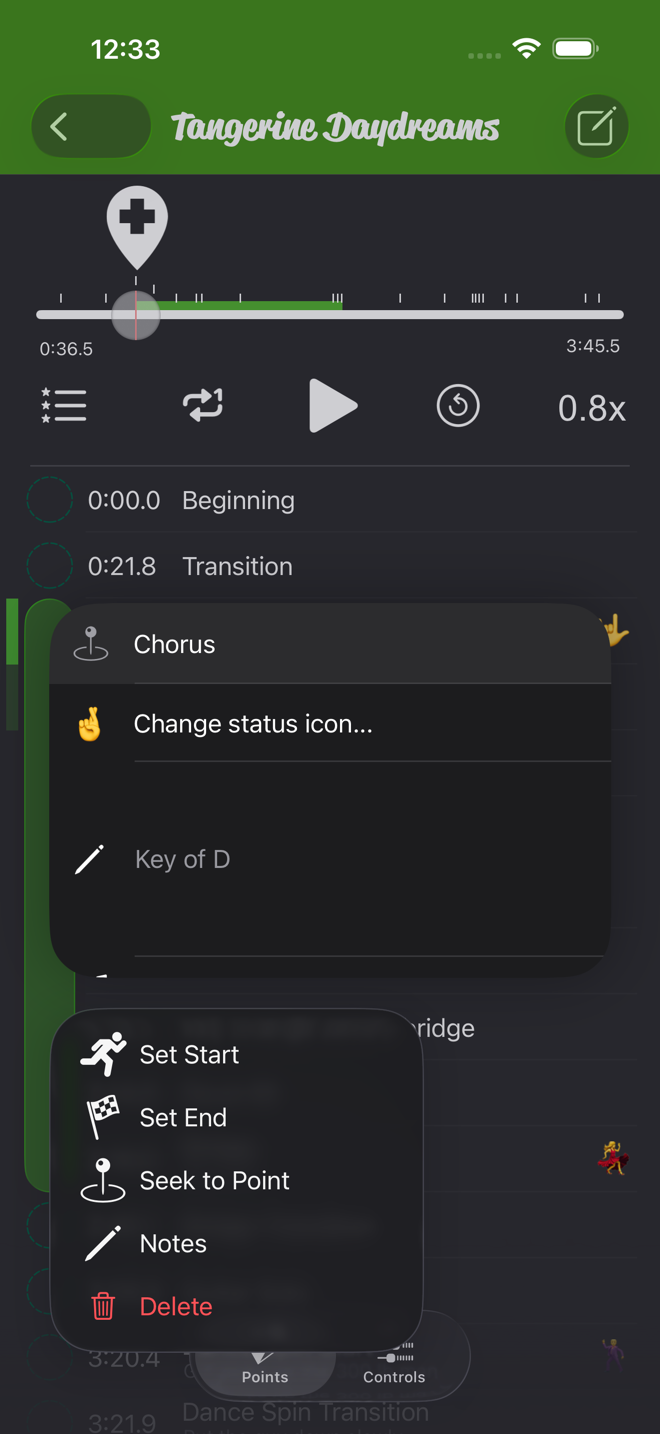
Long-press a point and choose Notes, or swipe it left, then give it a name like "Guitar lick" and a note like "pick up on the two". You can also add a status icon to a point. That is how I mark the ones I still can't play.

Loop small, then widen
- Start with a loop that is almost too short, two bars or one lick, and play it until it is boring.
- Add a point a couple of bars earlier and Set Start on it. Now you practice the way in. Then add one a couple of bars later, Set End on it, and practice the way out.
- Keep the speed where it is clean. When the wider loop is clean too, nudge the speed up with the plus button. Each tap is 0.01x.
- When the whole section works at full speed, Set Start on Beginning and Set End on End, and play the song through. Playback always stops at the end point, loop or no loop. If it falls apart at the seams, that is your next loop.
Looping works the same on Apple Music streams, songs you own, imported files and your own recordings. Speed does too. Only pitch and pan need an unprotected, downloaded file, and the Apple Music guide covers that.
Practice Player is free to download, with a paid upgrade for unlimited songs and points.